Copywhiz Features & Screenshots
Pick & copy files from multiple folders
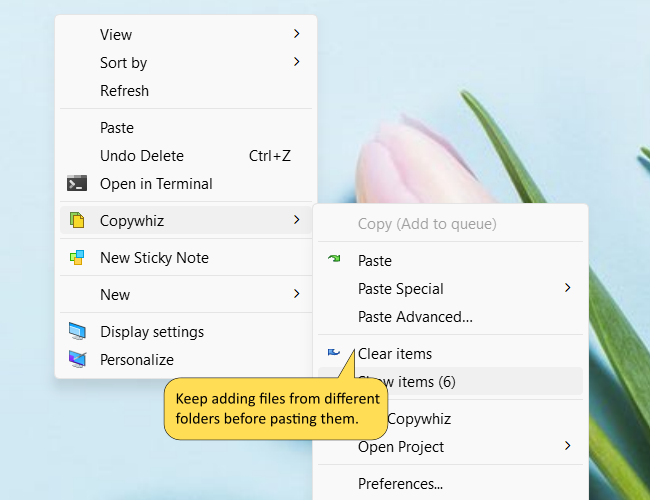
Copywhiz comes with a unique feature. It lets you pick files from different folders and paste them all at once. This saves a lot of time.
Windows only allows you to copy, paste, copy, paste, copy-paste & so on. But with Copywhiz, you can copy, copy, copy, and paste altogether.
This is useful when organizing music files, sharing files with friends that belong to different folders, copying files from different locations to USB flash drive, etc.
Best is, you can save this as a project in Copywhiz so that you can re-run it & directly paste a set of files from different folders. Similar to running a batch file (*.bat) to copy files from different folders.
Watch a short video (1m 48s) demonstrating this feature.Copywhiz runs on Microsoft Windows 11, Windows 10, Windows Server & Windows 8.