Notezilla Features & Screenshots
Attach stickies to docs, websites & folders
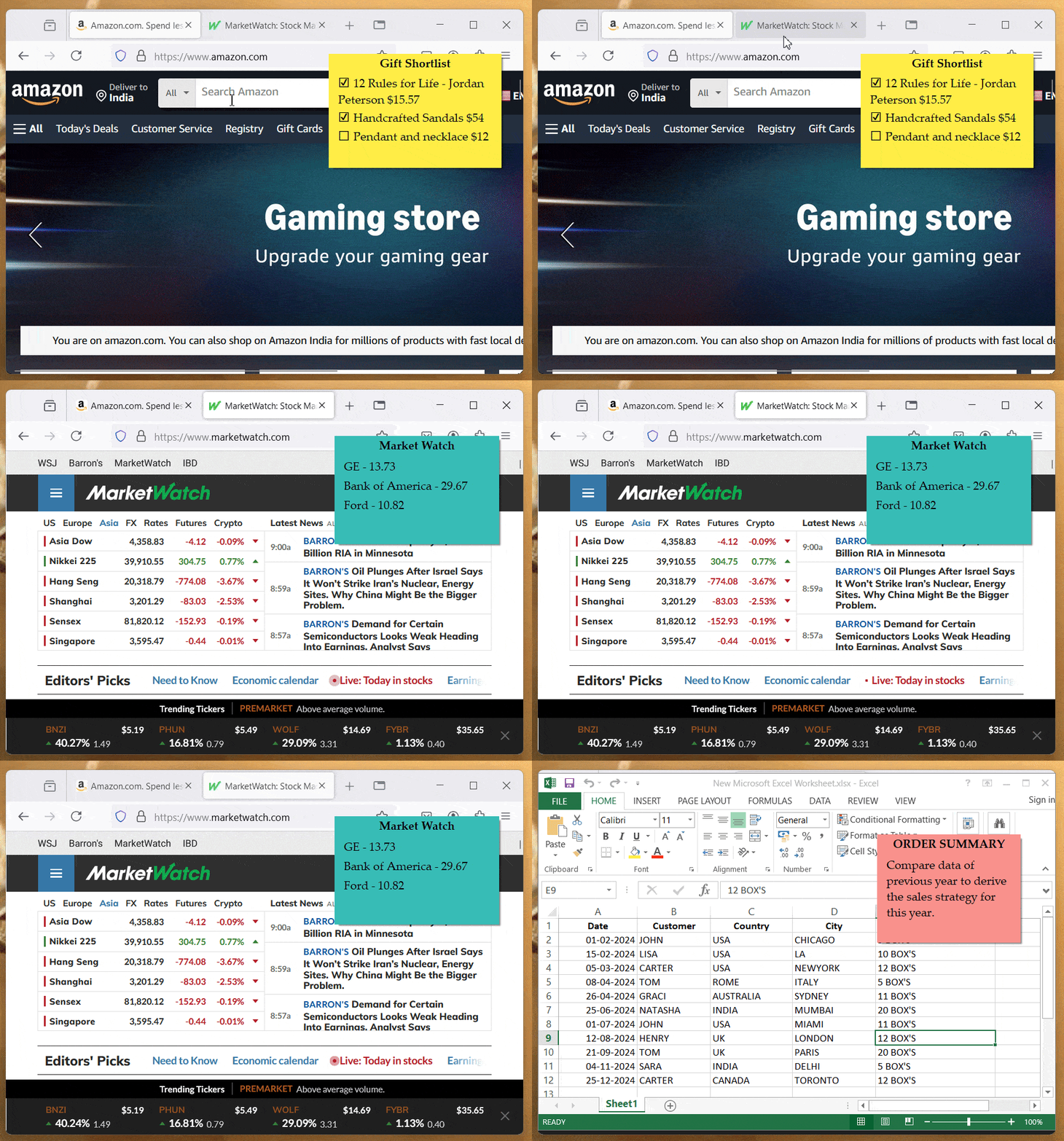
With Notezilla, you can stick notes to documents, web pages, folders, programs or any other window.
You automatically have the right information at the right time, without any effort on your part. All this because the sticky note pops up automatically whenever you access that particular document, web page, folder, program, etc.
Eg. We can't remember the bank a/c numbers, log in ids, etc of all our family members. Just add them to a sticky note and attach it to the right website for quick reference. This data will not go outside your computer. So it is safe.
Sticking notes to folders: While sticking notes to folders in Windows Explorer is similar to sticking notes to anything else, you might need to configure Windows Explorer a bit to make it work correctly.
Watch a short video (2m 02s) demonstrating this feature.Notezilla runs on Microsoft Windows 11 & 10. Also available for Android, iPhone/iPad/Mac (iOS) & other devices