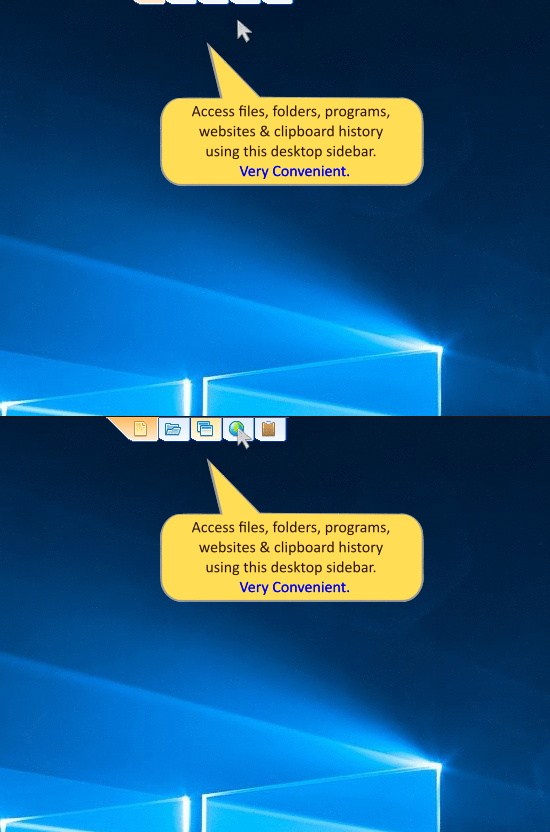
Quick access using the sidebar
RecentX Launcher can be accessed using a convenient desktop sidebar. With a single click, you can go to any category (Files, Folders, Programs, or Websites). RecentX Launcher can also be accessed using hotkeys.
RecentX is a launcher for Windows designed to make your computing life joyful. It is packed with
innovative ways of accessing your stuff on your Windows PC with lightning speed.
Here is what you get:
Instantly launch any file, document, folder, app, web history, or bookmark using very few keystrokes.
RecentX avoids tedious navigation of folders. No need to access deep folder trees & sub-menus to launch any document, folder, program, or website. Just type & go!
Assign tags to files & folders. Group them based on projects. Access them in a single click. Assign tags directly from within Windows File Explorer.
Traditionally, one would keep only essential files on Windows desktop for faster access. But with RecentX Launcher, accessing any file, any level deep is equally fast.
RecentX Launcher is simple & works out of the box. You don't need to configure your favorite files or folders. Just install & see it working.
Automatically gets the files and folders that are more important to you. Items that are recently & frequently accessed are displayed before other trivial things. It makes launching easier.
Perform frequent file operations such as copy, move, delete, rename without launching a file manager such a Windows Explorer.
Get fast access to bookmarks & history from Google Chrome, Mozilla Firefox, Microsoft Edge, Vivaldi Browser & Internet Explorer
Automatically lists the network folders that you access. Launching a network folder any level deep takes less than 3 seconds.
Find any file or folder on your computer in less than 3 seconds, attach a file to email using drag & drop, use Windows Explorer plug-ins from RecentX Launcher.
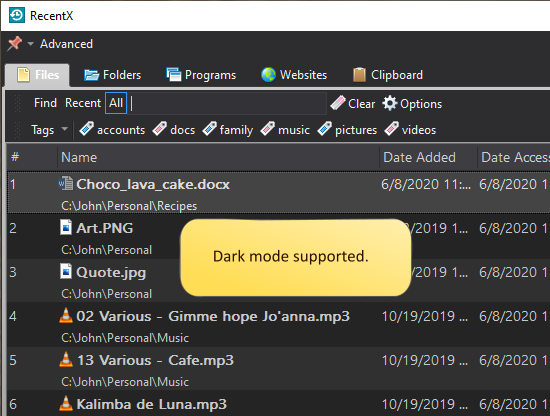
You can now tag files/folders directly from Windows File Explorer. Plus, we added support for dark mode.
RecentX Launcher can be accessed using a convenient desktop sidebar. With a single click, you can go to any category (Files, Folders, Programs, or Websites). RecentX Launcher can also be accessed using hotkeys.
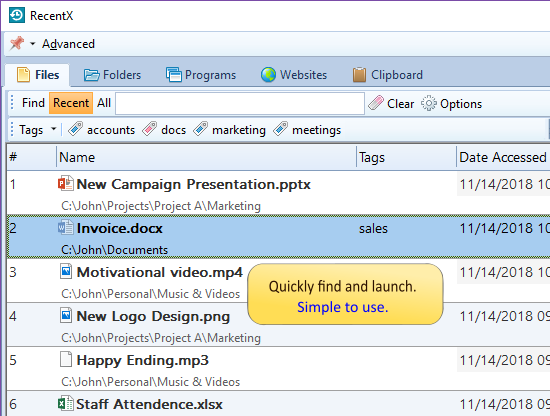
RecentX Launcher lets you open any file, folder, program, or bookmark.
It avoids tedious navigation through deep folders, menus, files list, or shortcuts. You only have to type and go. Thereby saving immense time and improves efficiency.
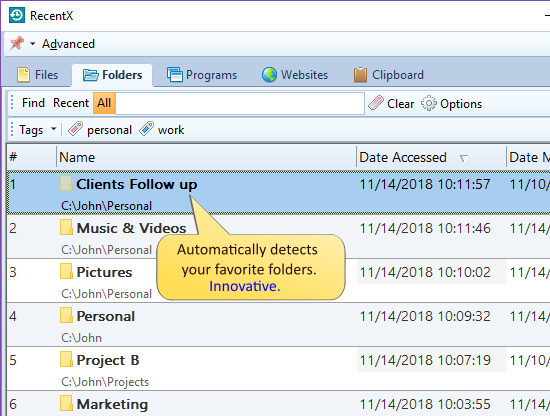
RecentX Launcher automatically shows the files & folders that you have accessed recently & frequently, which is an exceptional feature.
You do not have to spend time configuring it with your favorite items, as it is quite hard to keep updating a program with favorite files & folders.
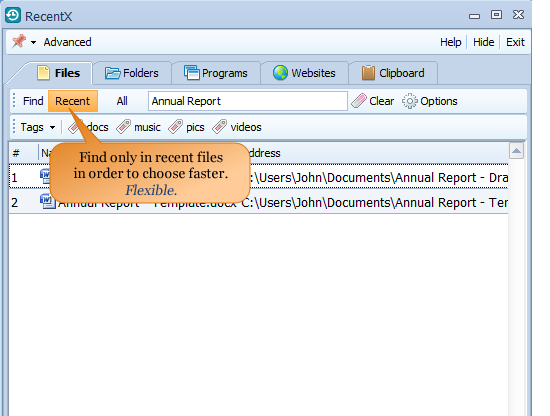
Most often, we open the same files & folders again and again.
For this very reason, RecentX Launcher lets us find just the recently access files & folders instead of searching the complete hard drive. Thereby saving a lot of time.
Alternatively, you can also search for all items (files, folders, programs & websites).
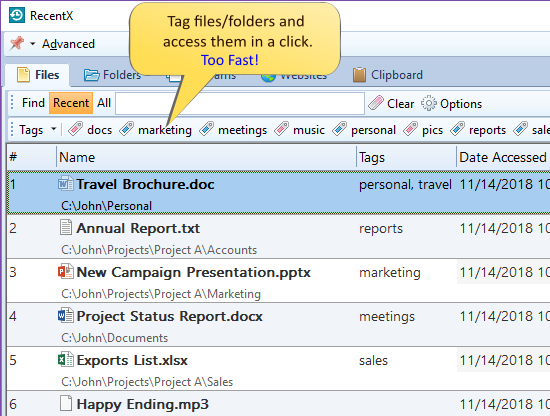
Tags let you group files & folders based on categories, file types, etc.
RecentX, therefore, comes handy if you often find yourself opening the same set of folders for a particular project and avoids folder navigation.
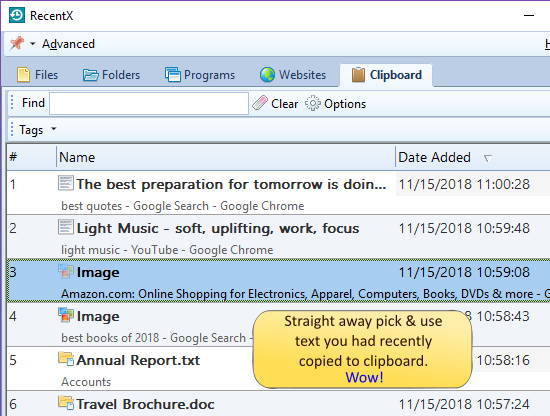
RecentX remembers all the text & images that you copy to clipboard. RecentX keeps track of text you copied 1 hour back, 1 day ago, etc. Just pick them directly from RecentX when needed. Can you imagine how big a time-saver it would be?

This feature is something you will love. The file open/save dialog window that is shown by all Windows applications is very tedious to us.
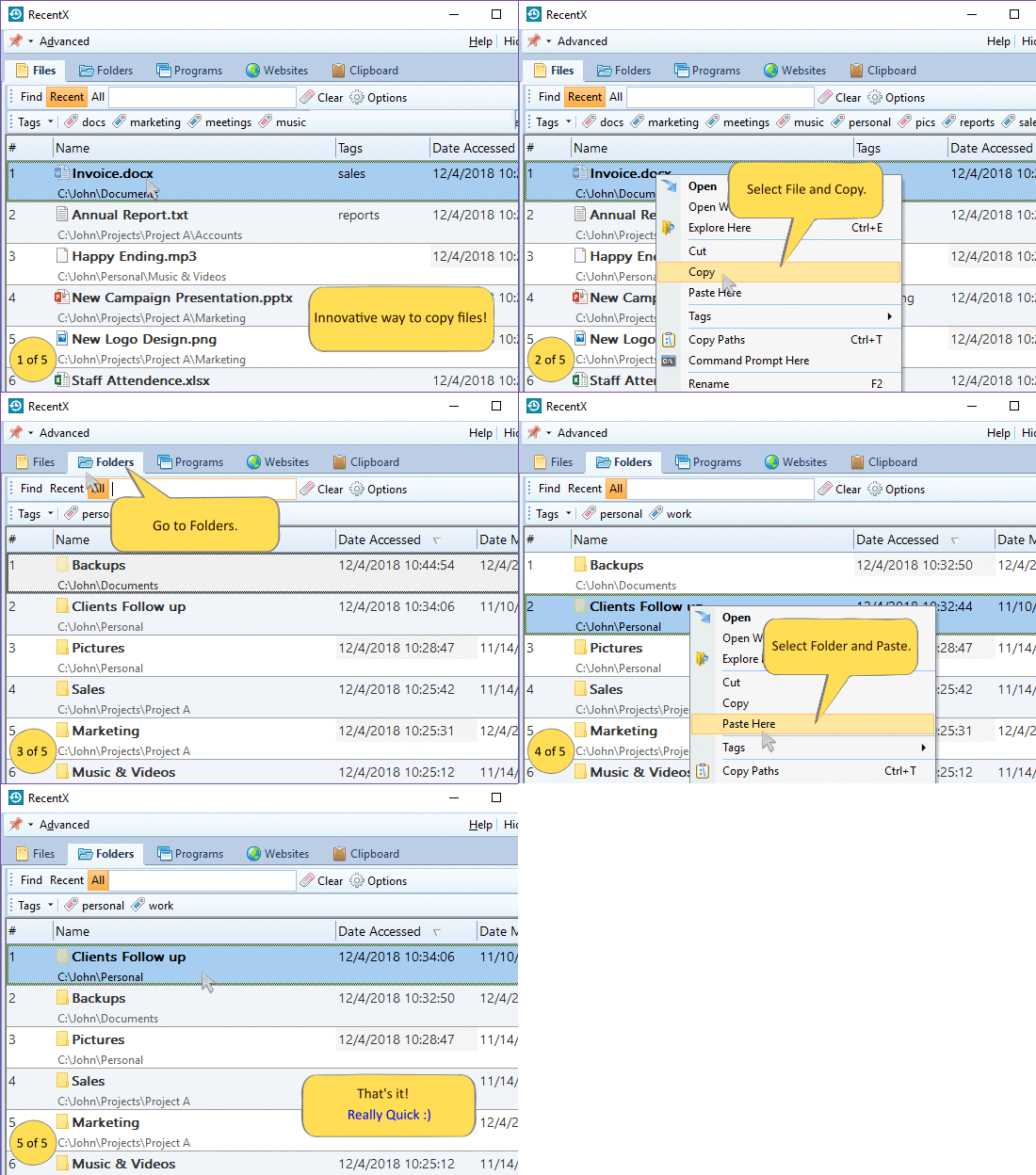
Copy files, rename, or delete them directly from RecentX Launcher without running any file manager such as Windows Explorer.
Drag and drop files from RecentX Launcher to any other window to copy files, attach files, create shortcuts, etc. Use tools such as Copy Paths, Command Prompt here, Send To menu from within RecentX Launcher.
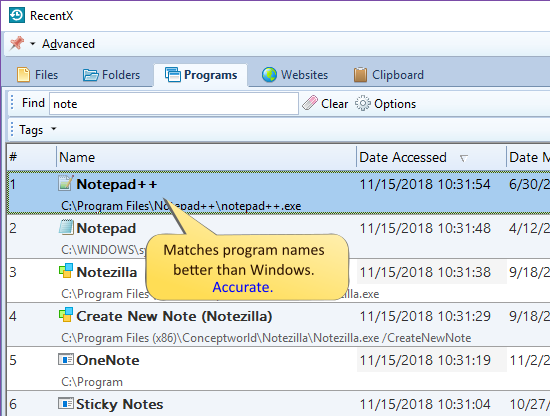
RecentX Launcher lets us run an app much faster than Windows. The list is cleaner as it does not show other files or folders like Windows.
It assigns a unique shortcut key number to each program and makes launching even faster.
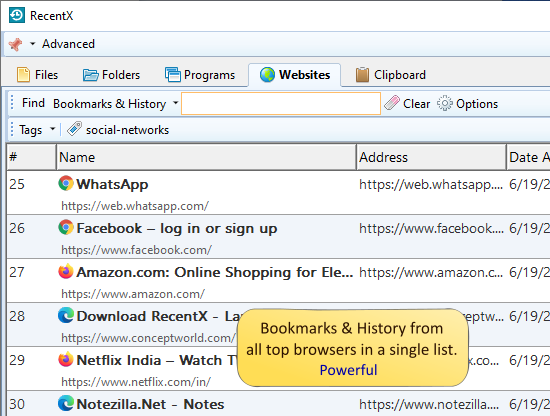
Directly open Internet bookmarks & history from within RecentX Launcher.
You don't have to access the Internet Browser's cluttered bookmarks & history menus.
Supports Google Chrome, Mozilla Firefox, Microsoft Edge Browser, and Internet Explorer.
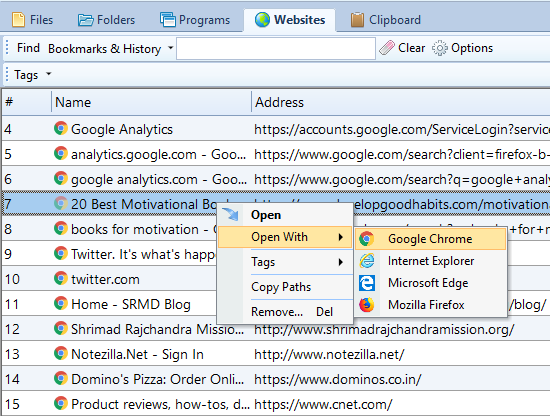
The websites list will allow you to open a particular site in any installed Internet browser - Google Chrome, Mozilla Firefox, Microsoft Edge, and Internet Explorer.
Convenient when some websites work only in a specific browser. Useful when testing a web page in multiple browsers.
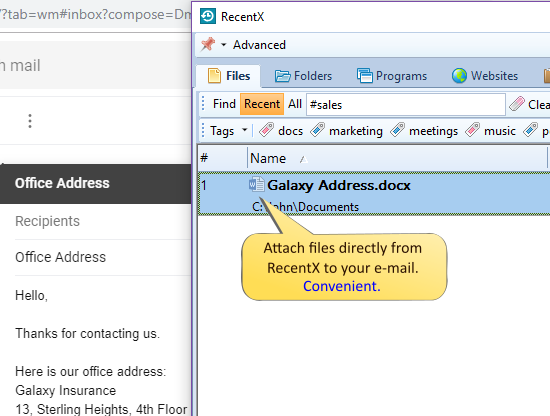
The traditional way of attaching files to the email is very tedious.
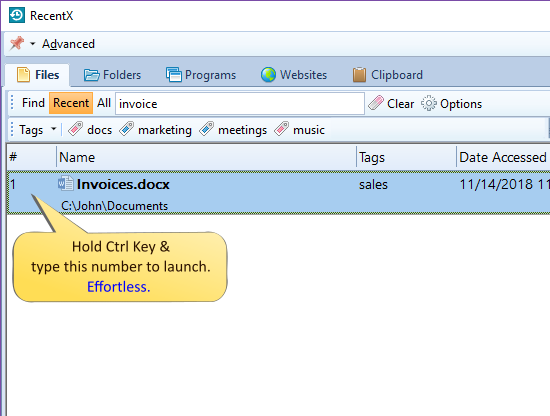
Launch anything using a keystroke.
Each listed item is assigned a unique number (as shown in the picture). Typing that number opens the thing immediately.
For those in love with dark mode :)
Soothing to eyes. Good for your health.
Traditional computing teaches us to open several folders before opening a file and
dig into menus before launching a program or bookmark. But all this is a pointless effort.
With RecentX Launcher, any file, folder, program or bookmark is equidistant from us. Meaning, it takes the
same amount of time to launch any item irrespective of where it is. Zero navigation. Zero configuration.
This innovation brings a new life to computing. It saves a lot of time.
When accessing one file from a list of 100 files, a significant amount of time
goes waste viewing the other 99, listing the other 99, eliminating the other 99 mentally.
When accessing a particular folder, you waste a significant amount of time on opening its parent
folders, listing of parent folders and their siblings, etc. And we are habituated to do this task
again & again each day. RecentX Launcher gifts you back all this stolen time and boosts your productivity.