









PikySuite launched! A set of three thrilling add-ons for Windows Explorer and other popular
file managers
User Testimonial
"I love this program and cannot see it
needing extra features. I've recently purchased a mp3 player and, of course,
Picky Basket becomes invaluble again. It's purrfect" - fair_is_fair
RecentX 2.0
RecentX 2.0 Another magical software from us
:) Learn More
NoteZilla 7.0
Attach virtual sticky
notes on desktop, websites and documents. It is like 3M Post-It(r) notes
for your computer. Learn
More
PikySuite is a set of three products -
PikyBasket, PikyFolders & PikyTools.
"Piky Basket is a rule
of copy/cut/paste replacement. Very nice, simple, and much-much easier"
- Roynardo
The enhanced way of copying
files in Windows XP & Vista.
PikyBasket is part of PikySuite.
Solution to the clumsy &
tedious way of accessing your folders.
PikyFolders is part of PikySuite.
Save time when copying files
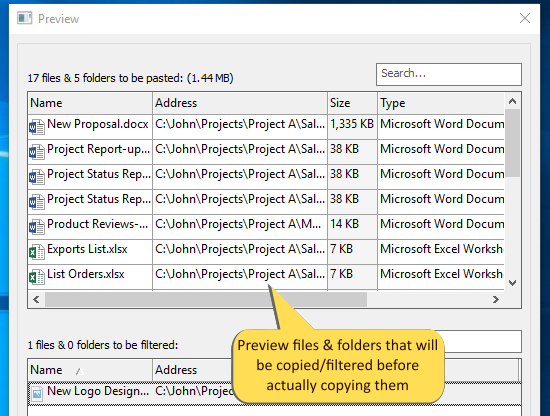
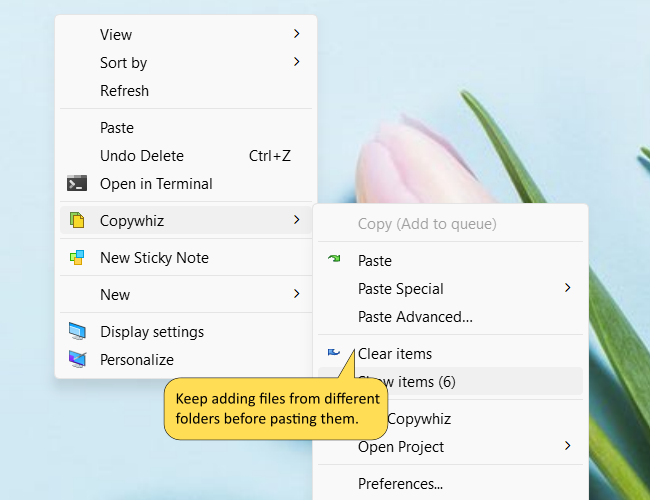
PikyBasket lets you select files from different folders before
actually pasting them all together (copy, copy, copy & then
finally paste). Integrated with Windows Explorer and other
popular file managers.
PikyBasket, PikyFolders
& PikyTools add-ons also work inside other file managers such as Total Commander, Directory Opus (dopus),
xplorer2, RecentX, XYPlorer and ExplorerXP
Convenience that brings joy
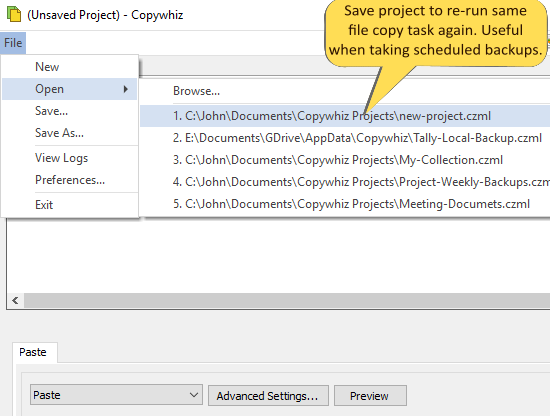
Save the list of files copied for future
reuse (music files, family pictures etc that you share often).
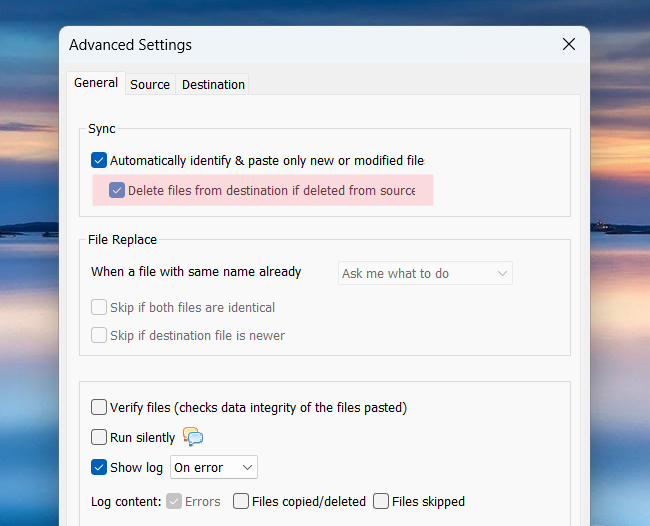
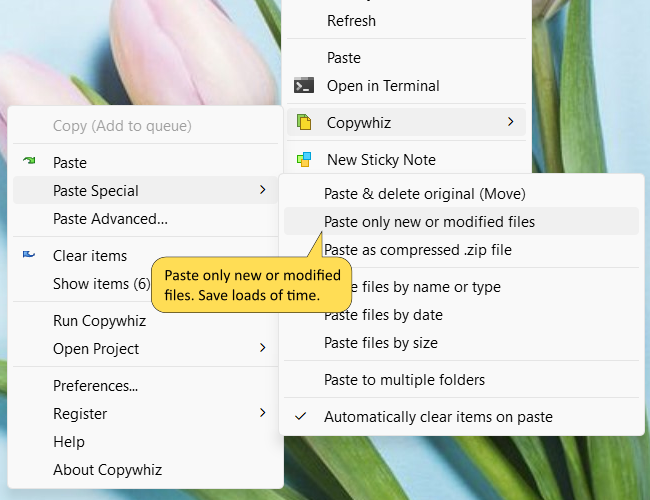
Copy only new or changed files
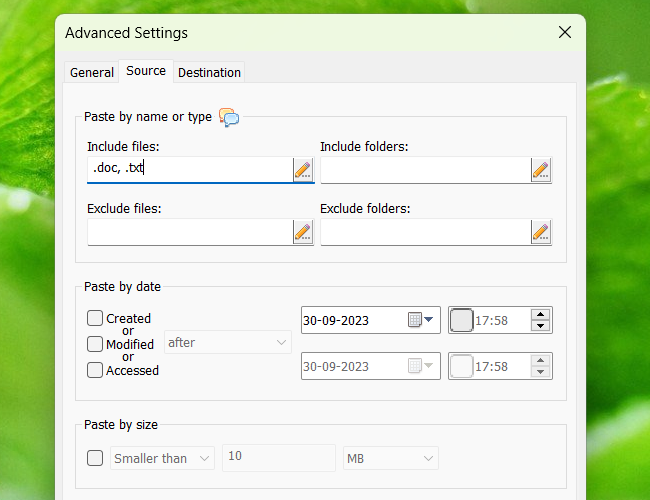
Supports filtering
based on name, extension, date & size. Copy only
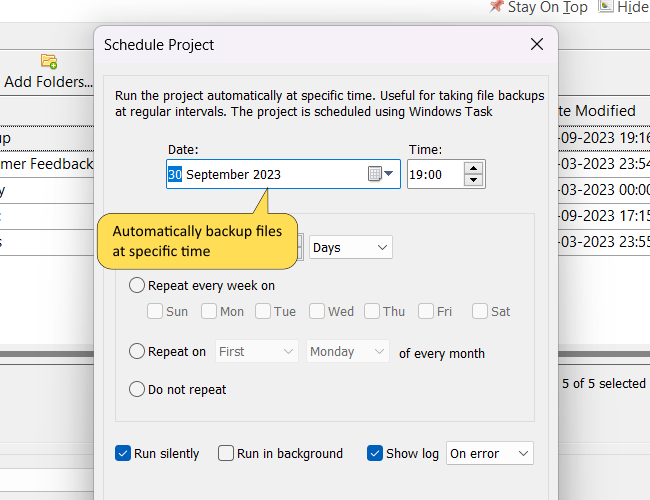
different/modified files. Useful for simple file backups,
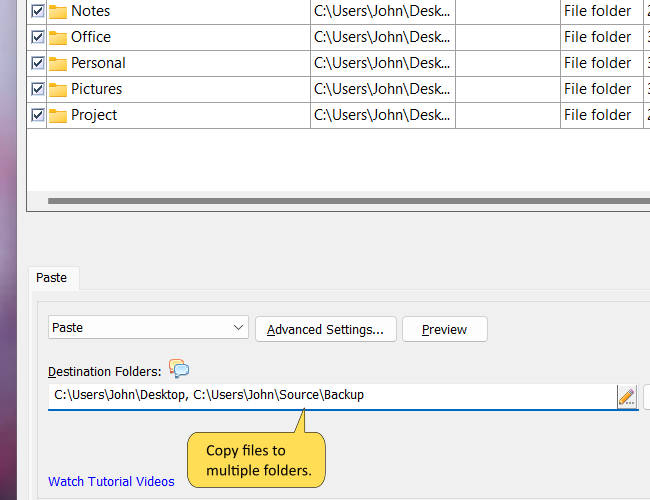
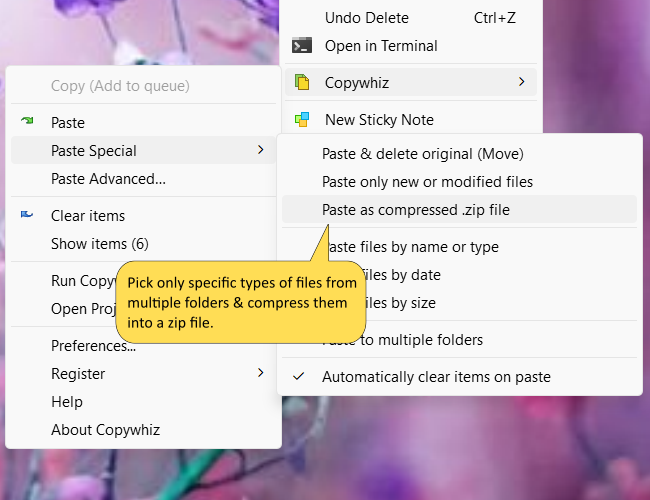
supports file compression (.zip), copy files to multiple
folders/directories.
Stay confident the first time
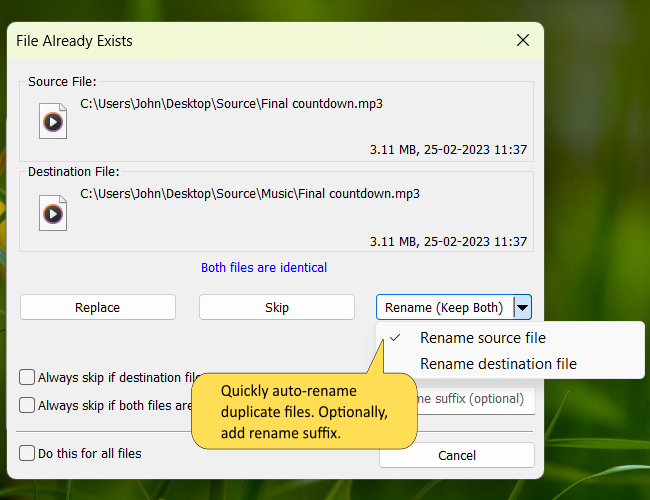
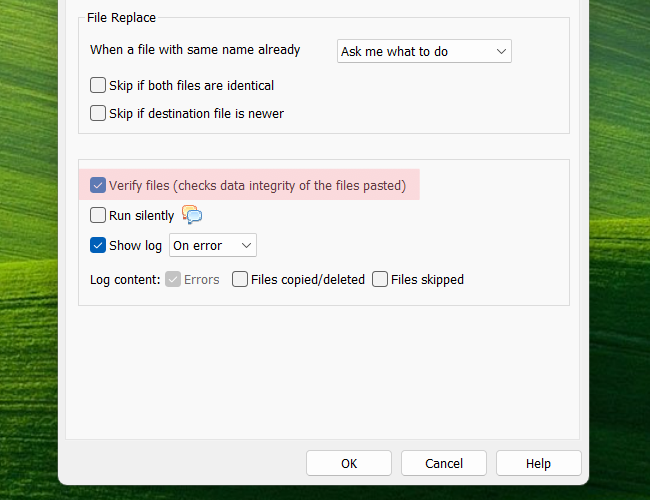
Fantastic error handling. Lets you
re-try on errors, rename files automatically when a
duplicate file is found, waits for you to free disk space,
lists programs that are accessing a 'file in use' (open
file).
Have complete control
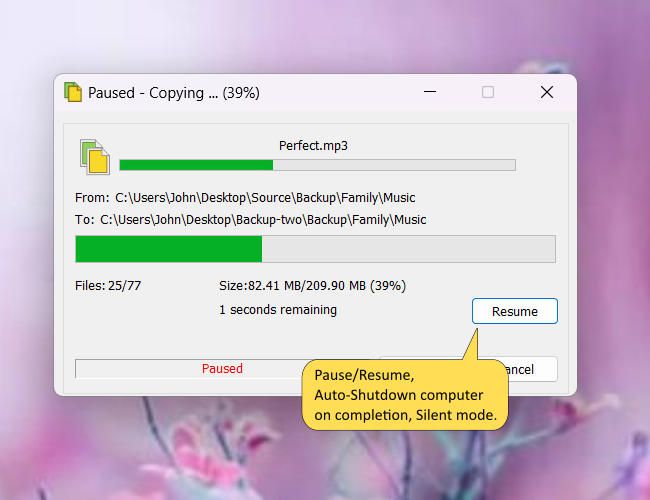
Pause/Resume file copy, set speed
to gain system performance,
auto-shutdown/hibernate on completion, integrated with Windows
Explorer or other popular file managers.
Strong relief!
PikyFolders lets you jump to your
favorite folders from within Windows file open/save window.
We cannot see you using those clumsy
file open/save
window & folders dialog without PikyFolders.
Zero clicks :)
Well, almost. Access your best
folders from the Windows taskbar. So near that its effortless to
access your deep network folders too.
PikyTools is a
set of handy tools for
Windows Explorer and other file managers.
PikyTools is part of PikySuite.
Open In New Window opens
current folder in another window.
Copy Paths to clipboard with
UNC and URI (file://) support, copy files size and dates to
clipboard.
Create Multiple Folders &
sub-folders in one shot.
'Command Prompt Here' with
elevation (Run as Administrator) support.
Change Folder Icons, mark
folders with different colors for quick identification.
License: Free
Trial (30 Days)
Operating Systems:
Windows XP & Windows Vista (32 & 64 bit)
Compatibility:PikySuite products
are add-ons to Windows Explorer. They also work inside other popular
file managers such as Total Commander, Directory Opus (dopus),
xplorer2,
RecentX, XYPlorer and ExplorerXP.
"Makes using the computer a
whole lot simpler and
less time consuming. Thank you Pikey Basket!" - Unknown
"This add on adds life to the copy paste function.
I wonder why Microsoft don't provide this." - GotFocus
"Such an outstanding utility!
I use it
constantly, and it works flawlessly!" - Jeff Owen
"But what will I use the program for?"
PikyBasket: Copy files/folders faster,
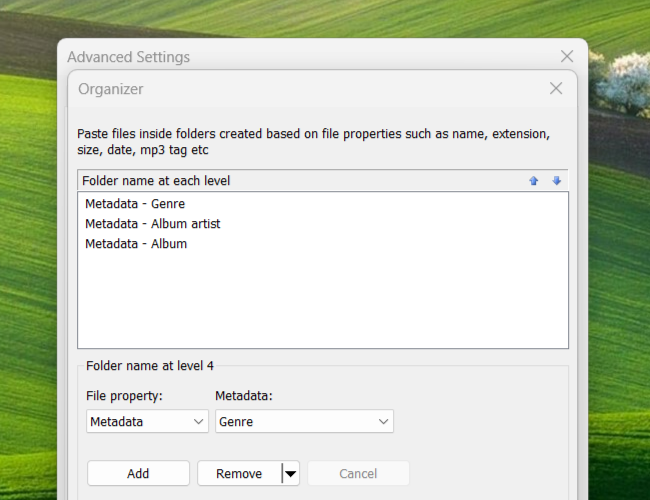
Conveniently and quickly organize your documents, videos, pictures and
music files (MP3 etc), Take simple file backups, Compress files from
different locations into one .zip file, Save files list so that you can
copy once and paste multiple times, Very useful when burning a CD/DVD
containing files/folders from different locations, Keep a list of best pictures & music
you have so that you can share them easily (USB flash drive, CD etc) anytime and any number of
times with just couple of clicks, Filter files to be copied/compressed
based on file name, extension, size and date, Very easy to share only
the changed files inside multiple sub-directories, Eliminate temporary and
big files using the filter option, Easily rename source or destination
file instead of overwriting, Replacement for copy/xcopy commands, Copy
files to multiple destination directories, all at once.
PikyFolders: Access favorite folders with just 2 clicks from where
ever you are, Access it from Windows taskbar's Quick Launch toolbar,
Save tedious navigation of network folders, Direct folders access from
File Open/Save dialog & Browse For Folders dialog, Works from Microsoft Office (Word, Excel,
PowerPoint, Access, FrontPage, Outlook) file open/save windows, Works
from Vista style file open/save window as part of 'Favorite Links'.
PikyTools: Launch selected folder in another copy of Windows
Explorer using 'Open In New Window'. Very useful when organizing/moving
files to sibling folders which we often do, 'Command Prompt Here'
launches cmd.exe (DOS Prompt) or your favorite command prompt replacement program
from within Windows Explorer, Supports Command Prompt in elevation mode
(Administrator rights) on Vista, 'Copy Paths' to clipboard, Supports UNC
paths, Create folders and sub-folders in bulk, Mass folder creator,
Create a complete path quickly, Change folder icons, Mark folders with
different color for quick identification, Useful and reduces strain when
browsing folders, Choose custom folder icon.
Highlights of the Program
Copy/Compress files only the new files or
files of particular type
Imagine that you have some folders containing several files. There may be some
trivial
files that are too big to share them with your
friend or coworker. You may want to share only the files that
were changed/modified in last 2 days. How would you easily transfer
such files? The answer
is PikyBasket.
Using PikyBasket you can quickly
include/exclude files by name, date and size when
copying/compressing files.
Get rid of those unnecessary errors and
messages
Windows file copy shows some annoying
error messages that stop the complete file copy operation leaving
the destination directory incomplete. It forces us to start the whole process
again which is a waste of time. Examples of such error
messages are "Access Denied/File In Use", "Disk Full" etc.
PikyBasket is designed to be very
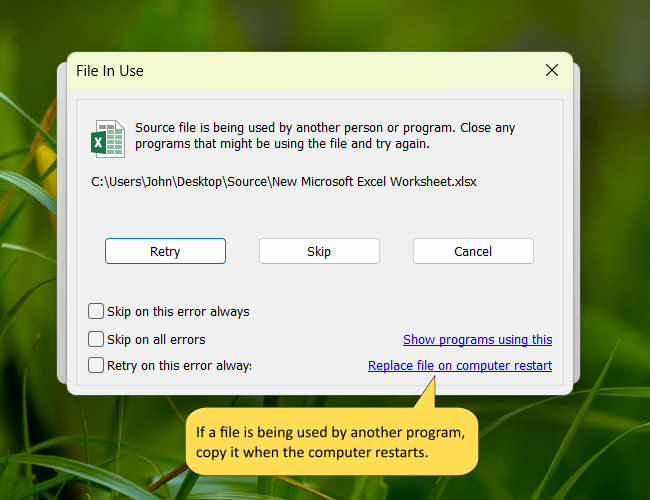
forgiving in nature. If a file is open (file in use), PikyBasket will let you to
close it before it can continue to copy the remaining files. The best part is that it will tell you which
programs are using that file so that you can close only those
programs.
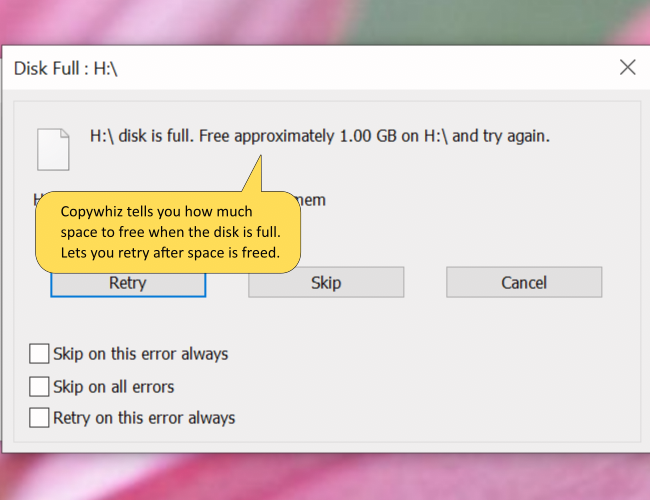
If the target disk does not have enough
space, it will tell you how much space to free and wait until
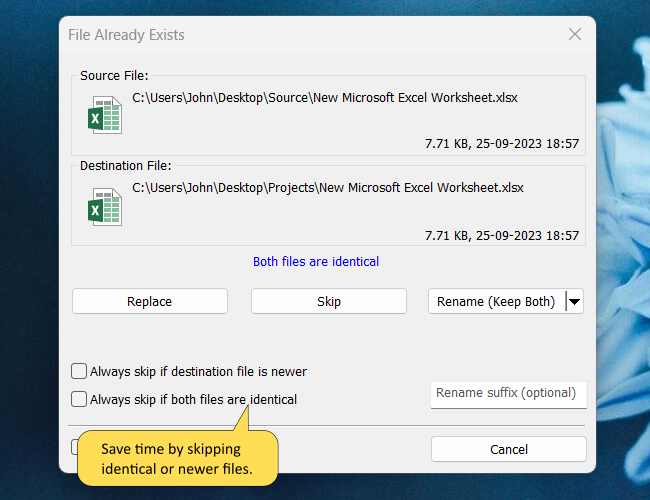
some space is freed. If another file with the same name is
found in the destination folder, it will let you
rename the source or destination file.
Save the list of files that you copy/compress
often
PikyBasket allows you to save
the files
list for future use. This comes very handy if you often copy
the same set of files to your laptop, network server, or USB
Flash Drive. Helpful when taking simple file backups.
Example: To share the best
music or pictures with
many friends, just select the files once from different folders
and copy it multiple times to different destionation.
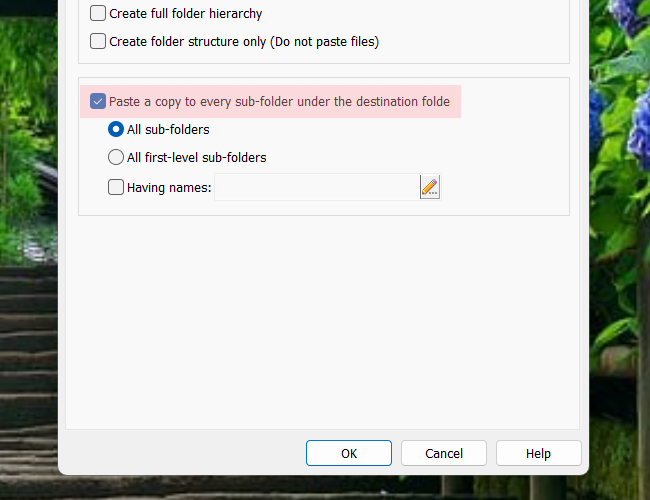
PikyBasket also supports copying files to multiple
destination directories in one go.
Access your favorite folders in less than 5
seconds
In Windows, the hierarchical structure
of the folders steals a lot of our time. If you have a folder at
the 6th level, you will need to go through all the first 5
levels to access the folder. And the worst part is that if you
want to go to the same folder at later point in time, you need to
traverse the whole path again. This is mere time waste and
unnecessary work to do. Moreover, Network folders takes a lot
more time.
PikyFolders
is extremely handy in such matters. It lets you access your
favorite folders right from the taskbar and also from the
Windows file open/save window.
It even works with Office 2003/2007 file dialogs and Vista style
file dialog.
PikyFolders is bound to save a lot of time and
frustration. You will enjoy it.
Folder Marker Tool
In our regular life (office and home),
we like to organize folders that are of different colors. This makes it
very easy to identify and pick the right folder. You don't have
to read what's written on each folder. It is tedious.
Similarly, the 'Folder Icon Changer'
tool which is a part of PikyTools, lets you mark
any folder with a different color in Windows. The tool comes
with several colorful folder icons so that you don't have to
hunt for the right icon.
Try it. It is a relief when browsing
through several folders in Windows.
The 'Open In New Window' Tool
The 'Open In New Window' tool is part of
PikyTools. It comes
very handy when you want to work with files of another sibling
folder or another folder in the neighborhood.
If you are in a
folder "C:\Documents and Settings\Administrator\My
Documents\Projects\Project A" and you wish to perform multiple
file operations with another folder "C:\Documents and
Settings\Administrator\My Documents\Projects\Project B",
just right click inside the "Project A" folder and choose 'Open
In New Window'. This will launch another copy of Windows
Explorer with "Project A" selected. Now, go one level up and
select "Project B". Saves a lot of time and effort.