Copywhiz Features & Screenshots
Retry or skip files on error when copying them
It can be annoying to see our file copy operation stop abruptly on an error.
Copywhiz handles this situation smoothly. When copying files, Copywhiz does not stop on error. Instead, it lets you retry or skip that particular file.
Eg. If a file is locked (file-in-use), Copywhiz will wait until you unlock the file. In fact, Copywhiz will even show you which program is using the file so that you can close the program to continue with file copy.
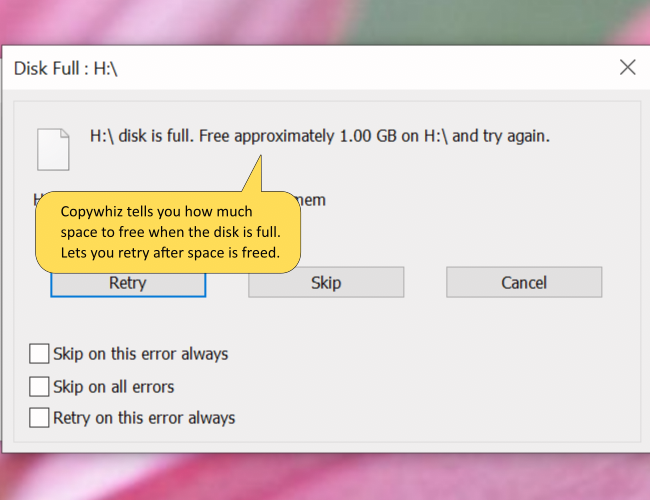
Also, if the disk is full, Copywhiz will show how much space you need to free in order to complete the operation successfully.
Copying files using Copywhiz is a very enjoyable & fruitful experience.
Copywhiz runs on Windows 11, Windows 10, Windows Server, Windows 8, Windows 7.