Copywhiz - Flexible File Copy & Backup Tool for Windows.
Learn about Copywhiz.
Copywhiz - Flexible File Copy & Backup Tool for Windows.
Learn about Copywhiz.
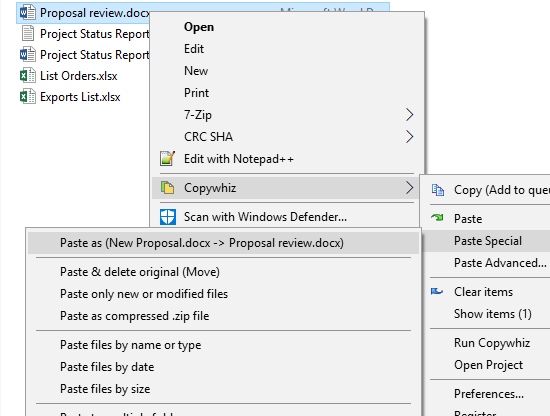
Copywhiz allows you to quickly replace a file having a different name than the source file.
Select the source file into Copywhiz, go to the destination folder, right click on the file that needs to be replaced with the source file, choose Copywhiz → Paste Special → Paste as (file A → file B) from the menu.