 Copywhiz - Flexible File Copy & Backup Tool for Windows.
Learn about Copywhiz.
Copywhiz - Flexible File Copy & Backup Tool for Windows.
Learn about Copywhiz.
After you have selected files into Copywhiz, go to the destination folder in File Explorer (Windows Explorer), right-click inside the folder, and choose Copywhiz → Paste Special → Paste only new or modified files from the menu as shown in below picture.
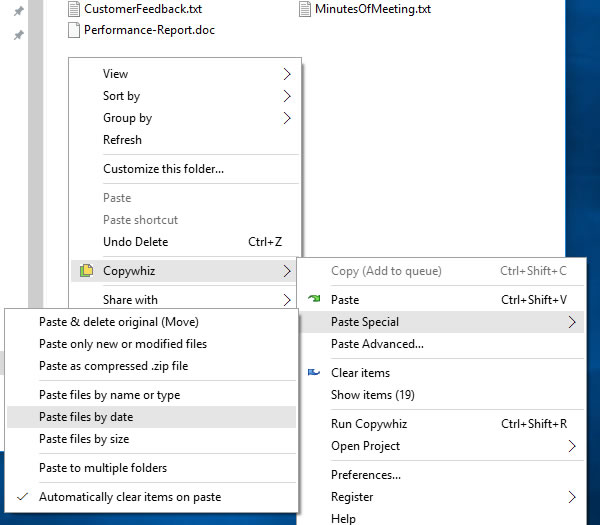
If the destination folder does not contain any files already, then all files and folders will be copied for the first time. From second time onwards, only new or changed files will be copied.