Back
|
RecentX Home
|
Browse Help Topics
You are reading the online help documentation of
RecentX -
. Learn about
RecentX
.
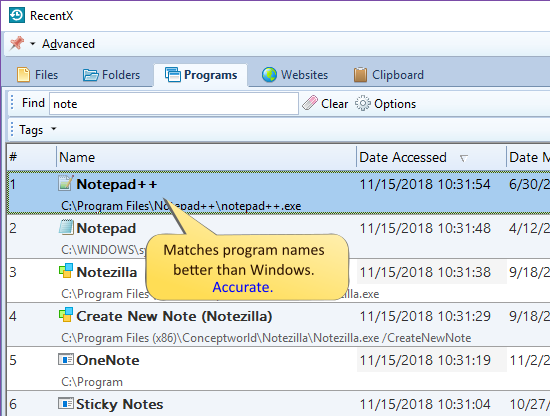
Finding Programs on Windows using RecentX
Click on the Programs tab in the RecentX sidebar.
Enter the keywords in the Find text box to find any program.
Double-click on the desired program to open it.
To find and launch a program faster, you can
create and use tags.
Searching & Finding Programs
 RecentX - .
Learn about RecentX.
RecentX - .
Learn about RecentX.