RecentX Features & Screenshots
Work with files easily
With RecentX, it is quicker to manage files/folders such as copying, rename, or deleting them.
You don't need to run Windows File Explorer or any other file manager for such tasks.
Drag and drop files from RecentX to any other window to copy files, attach files, create shortcuts, etc.
Use tools such as Copy Paths, Open Containing Folder, Command Prompt here, Send To menu from within RecentX.
Another exciting feature is that you can access the Windows File Explorer context menu directly from RecentX.
Watch a short video (2m 16s) demonstrating this feature.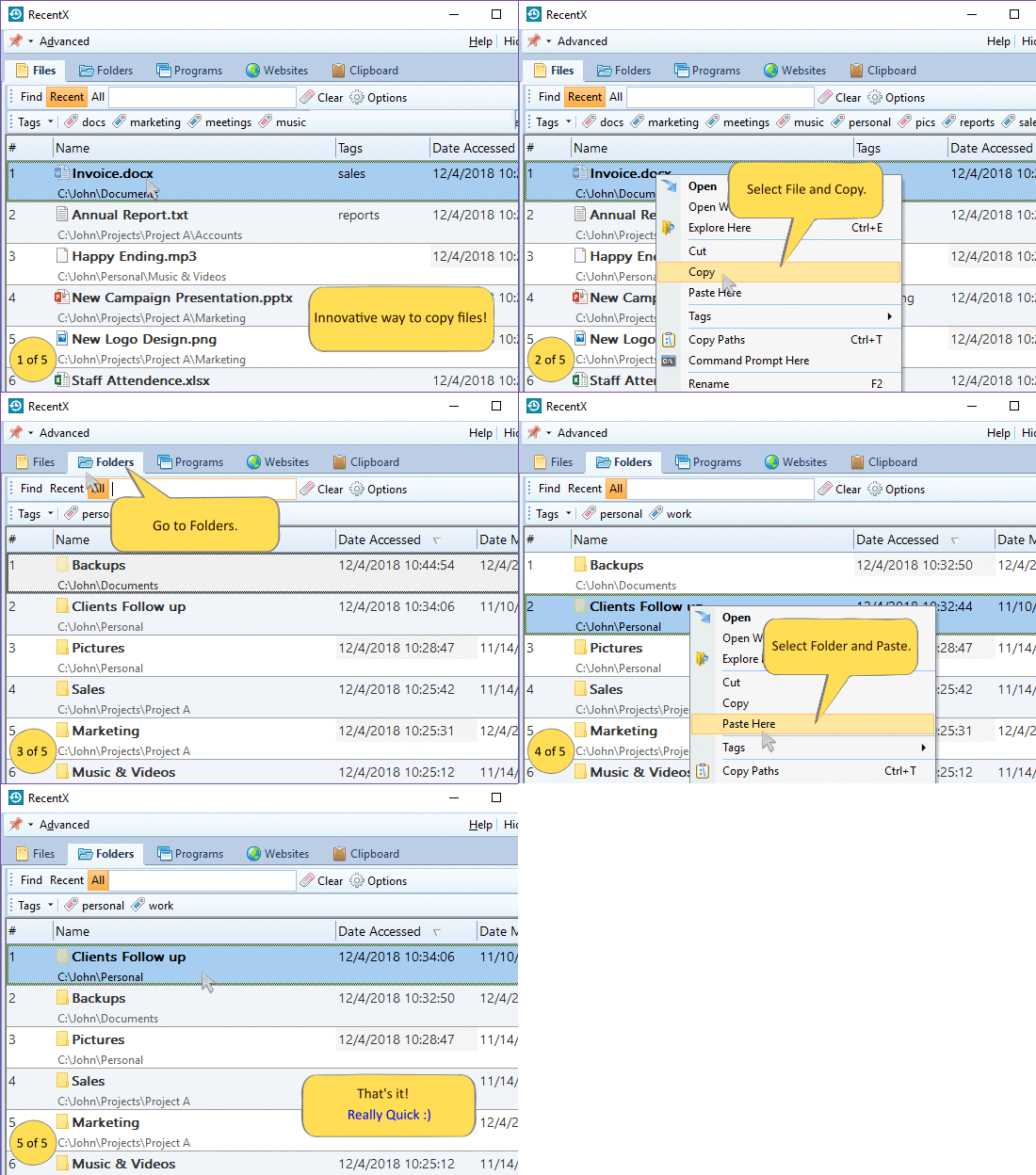
RecentX runs on Windows 11, Windows 10, Windows 8, Windows 7.